 Develofly Autopilot
No code, and nothing hidden
A bot in Autopilot is a list of steps written in plain words — open this page, type this, click that, save what you find. The Project editor is where you build that list by hand (or start from a recording and adjust it): add a step, set its fields, drag it into order. Because the list is readable, a bot is never a black box — you can see exactly what it will do before it runs, and change any line of it afterwards.
Steps for the whole job, not just the browser
The step library covers the browser work (open, click, type, upload, screenshots, waits), data work (get data from a page, read JSON, CSV, feeds and sitemaps, set and transform variables, if/else and loops), and the jobs around the browser: downloads, filling in PDF forms, sending and reading email, running server commands, database queries, image steps, FTP/SFTP transfers, notifications, and domain and certificate checks. Selectors — how a step finds its element — can be CSS or XPath, picked visually from the page, or chosen from your saved selector library.
Test as you build
Run a single step on its own, or run the bot up to any step and stop there, so a long bot can be checked a piece at a time. Sample test data lets you try steps against example values before a real run. If a step's element can't be found at run time, the step waits, retries as you've set, and fails with the reason recorded — and if the site has changed, Self-heal can propose the fix.
Start from a template, keep what works
Templates open as ordinary projects in the editor, and "Add template steps" tacks a template's steps onto the end of a bot you're already building, so proven pieces can be chained instead of rebuilt.
Saved selectors and variables: name it once, use it everywhere
A selector is how a step finds its element on a page — usually raw CSS you'd rather not read twice. The selector library lets you save selectors under plain names ("Search box", "Book title") and pick them from a list in any step instead of typing the raw value. The variables library is the same idea for values: save reusable values as named variables and insert one into any step field by picking it from the list; secret values are stored masked and never shown in the list. Change a library entry later, and every step that uses it updates automatically — on your tenth bot that shares a login page with the other nine, that's one fix instead of ten.
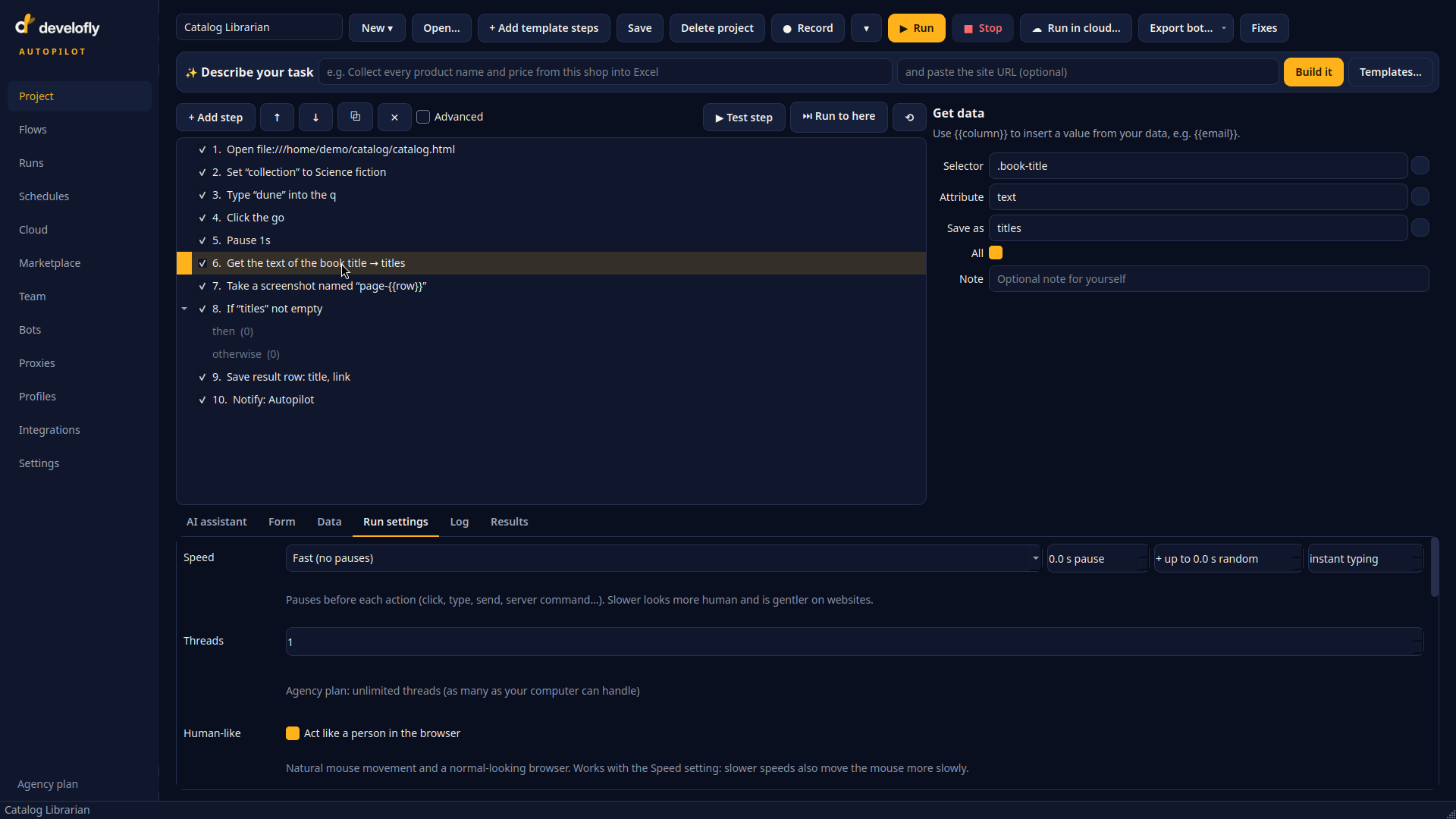
The editor: a bot as a readable list of steps. The selected step's form — here, get the text of the book title and save it as titles — sits beside the list.
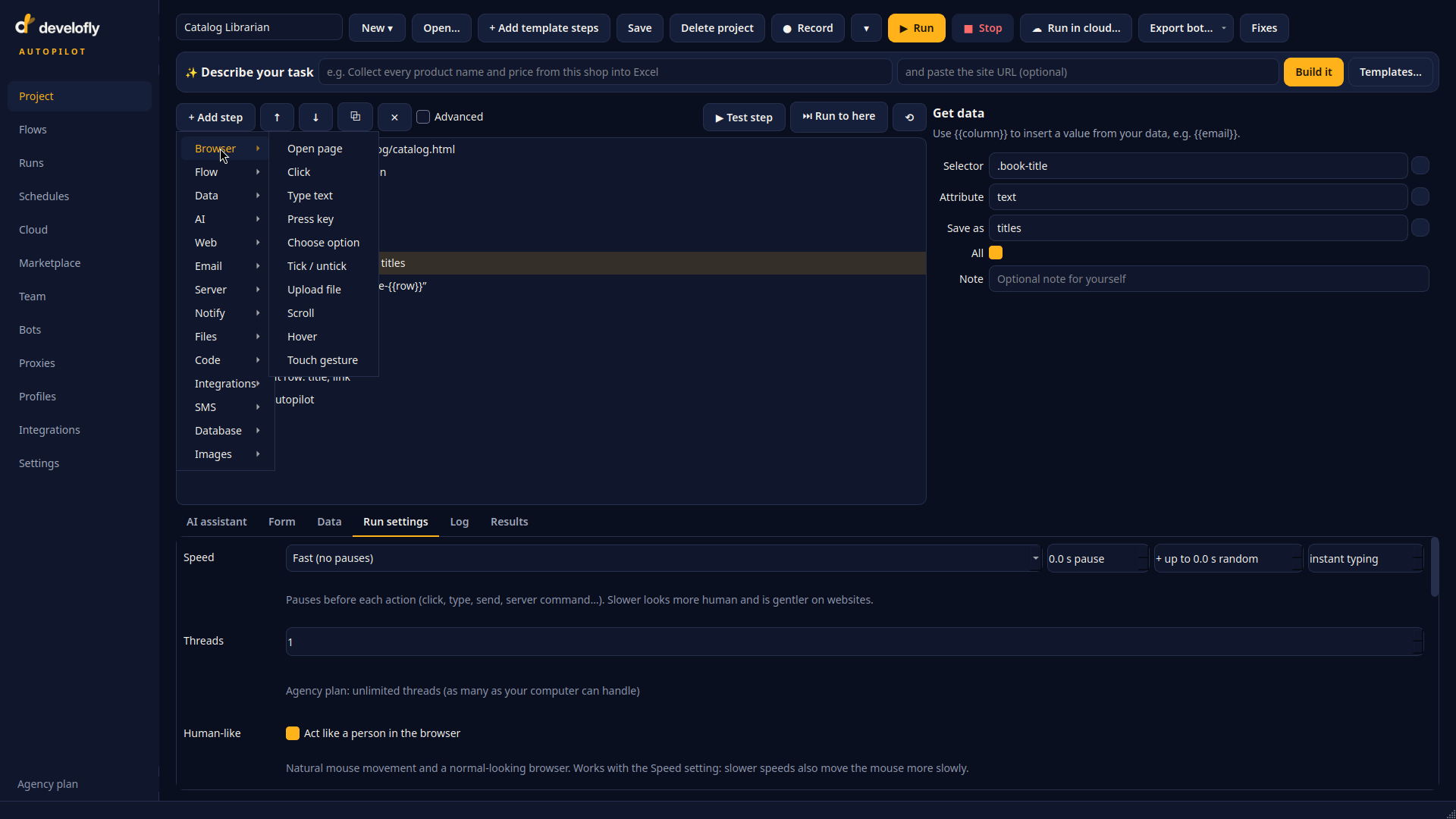
Add a step: categories for the browser, flow control, data, AI, the web, email, servers, notifications, files, code, integrations, SMS, databases and images.
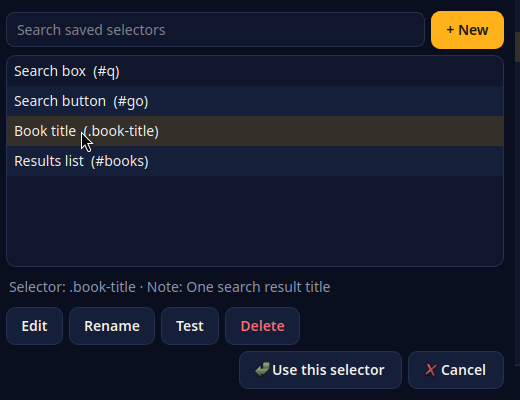
The selector library: saved selectors under plain names. Pick one into a step, or edit it here and every step using it follows.
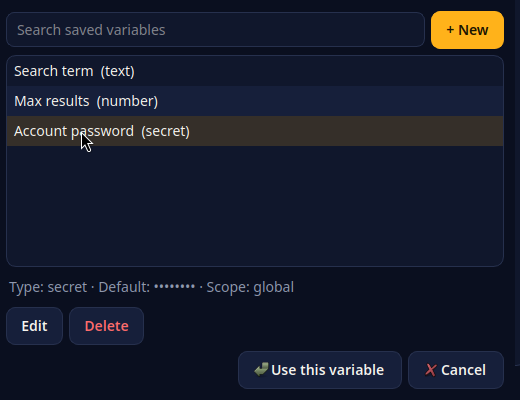
The variables library: named values any step can insert. The secret variable's value is masked — it is never shown in the list.