 Develofly Autopilot
Every run keeps a timeline
As a bot runs, Autopilot records each step: how long it took, what it was given, what it changed, and the error if it failed. A screenshot is saved for every failed step, and anything secret — passwords and other hidden fields — is masked before any of it is written down.
Replay… opens the viewer
From the Runs page, Replay… opens the viewer for that run: pick a row, step through with Previous and Next, and use Jump to first error to go straight to where it broke. Instead of re-running a bot and hoping to catch the moment, you look at the moment itself — the step, its inputs, and the page as it was when it failed.
You choose how much is kept
Each bot's Run settings set its replay level: Off; Steps — the timeline, plus a screenshot when a step fails (the default); or Steps plus a screenshot of every step, which uses more disk. Health checks don't record replays.
Pairs with Self-heal
Replay shows you what broke; when the cause is a selector a site changed, Self-heal proposes the corrected selector and waits for your approval — the two features are the before and after of the same bad morning.
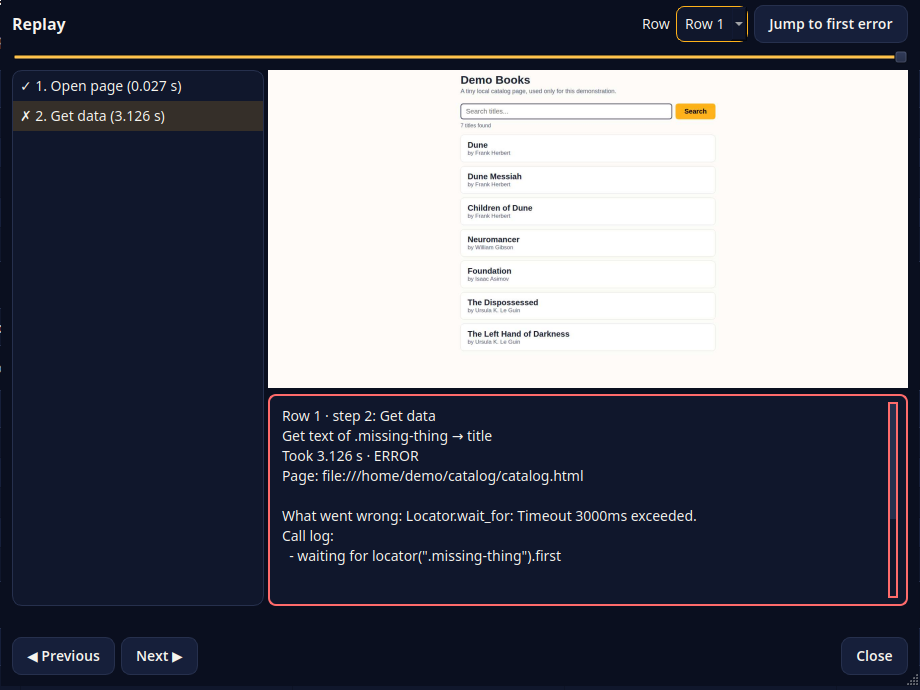
Replaying a failed run: the step list marks where it broke, the screenshot shows the page as the bot saw it, and the panel underneath says what went wrong in plain words.
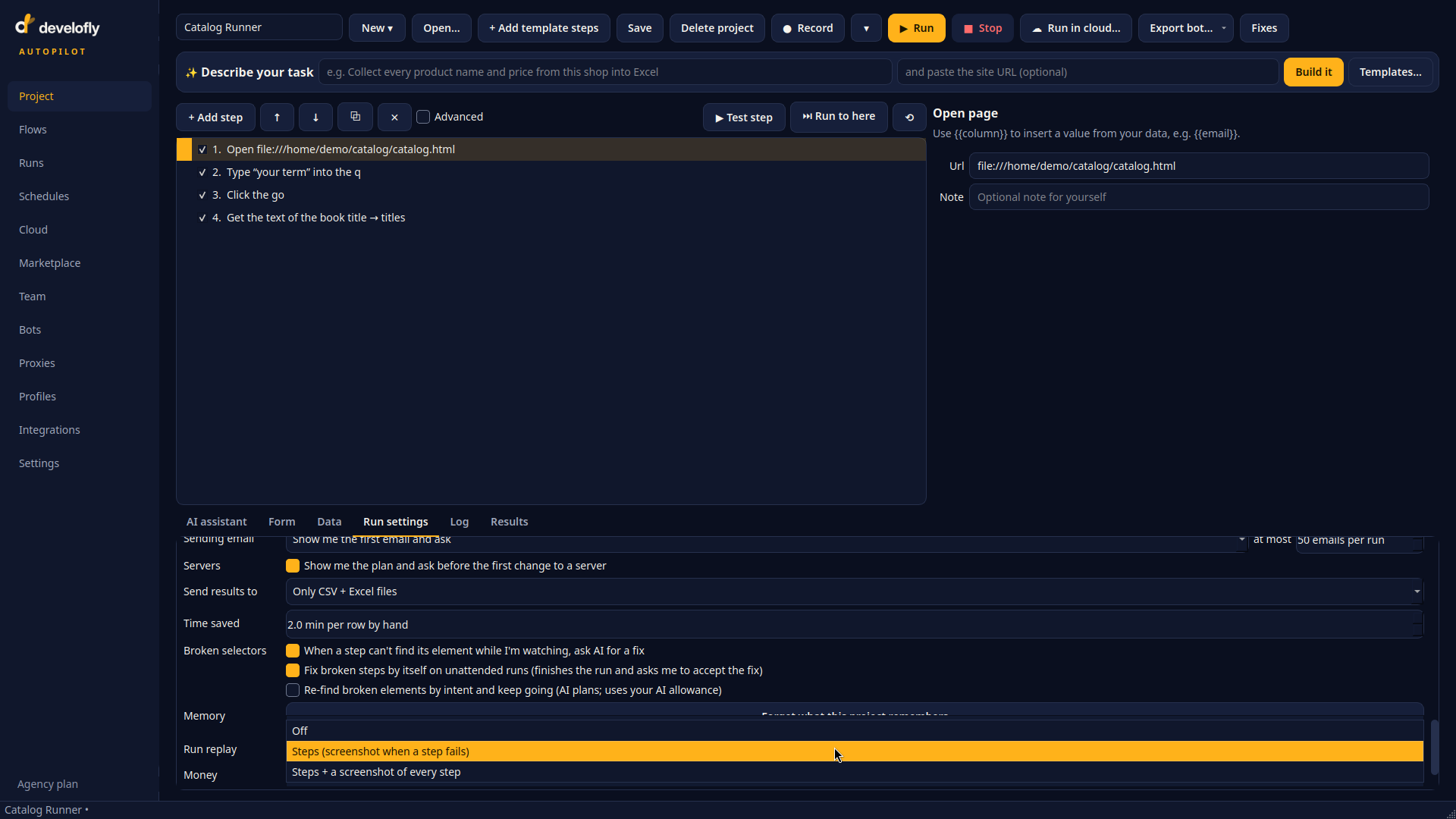
How much each run keeps is your choice: Off, Steps with a screenshot when a step fails, or Steps plus a screenshot of every step.