 Develofly Autopilot
Autopilot does not solve CAPTCHAs. Full stop.
When a run meets a CAPTCHA, the default is simple: the run pauses and waits for you — up to 10 minutes — while you solve it in the browser yourself, then carries on. The same happens during recording. Nothing about this is hidden or dressed up: the bot stops, a person does the human check, the bot resumes.
You choose what happens
Each project has a CAPTCHA setting in its Run settings: pause and let you solve it, fail that row and move on, ignore it, or — on Pro and Agency — use your solver service first and pause for you if that fails. Unattended overnight bots usually pick "fail the row"; bots you watch can pause.
Bring your own solver (Pro and Agency)
If you already have an account with a CAPTCHA-solving service, connect it in Settings → CAPTCHA solver: 2Captcha, CapSolver, Anti-Captcha or CapMonster Cloud. The CAPTCHA is solved on your account, with your key, and Autopilot puts the answer in. Your key is kept encrypted on this computer and never shown again; the Test key button only checks your balance. Turning the solver on asks you to confirm, once, that you accept responsibility for how you use it. Develofly sells no solving and takes no cut — if you don't have a solver account, the pause-for-a-person path is the whole story, and it works on every plan.
How solving works if you set it up: you give Autopilot the API address and key of a captcha-solving service you have your own account with. When a bot runs into a CAPTCHA, Autopilot sends the challenge to that service through its API, the service works out the answer and sends it back, and Autopilot fills it in and carries on with the run. If the service can't solve it — or you haven't connected one — the bot pauses for a human, as described above.
Fewer CAPTCHAs in the first place
Autopilot's human-like browsing (natural mouse movement, ordinary pauses, a normal browser identity) means sites show CAPTCHAs less often than they do to a bare script. It reduces them; it does not remove them, and when one appears, the rules above apply.
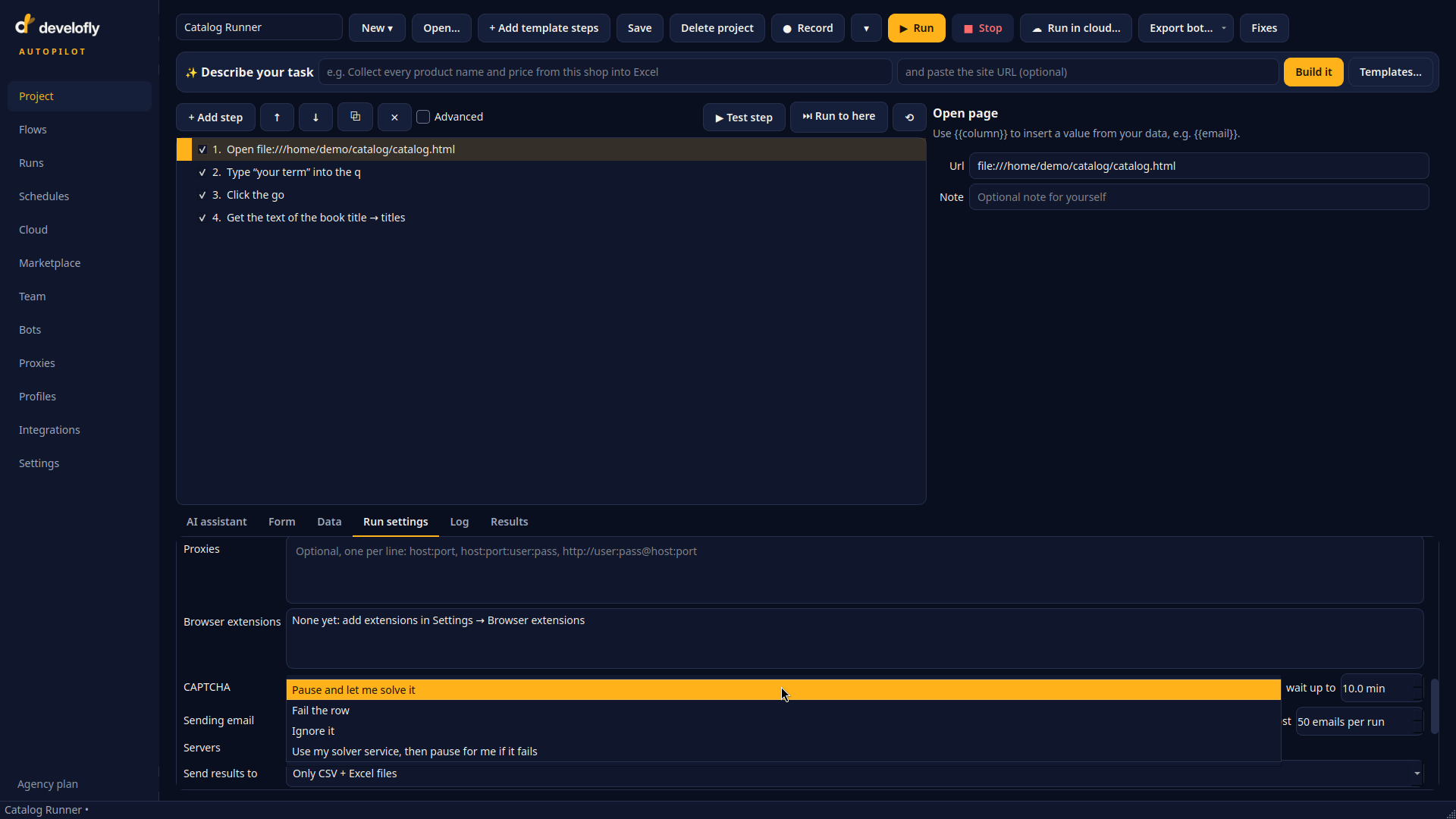
One setting per project: pause and let me solve it, fail the row, ignore it, or use my solver service and pause for me if it fails.

Settings → CAPTCHA solver (your own account): pick your service, paste your key — kept encrypted, never shown again. The panel itself says what the app says everywhere: Develofly doesn't solve CAPTCHAs; your service does, on your account.