 Develofly Autopilot
Profiles that stay separate
- Create a profile once — user agent, platform, language, time zone and screen — and assign it to a bot. That bot always browses as that identity.
- Profiles keep their own cookies and storage, so accounts and sessions never bleed into each other.
- Pair a profile with the bot's proxy, so the identity and the connection tell the same story.
- Duplicate and adjust profiles instead of rebuilding them; importing a profile you already use keeps both copies unless you say otherwise.
WebRTC leak protection
A browser can reveal the machine's real network address through WebRTC even when the rest of the traffic goes through a proxy. Antidetect profiles close that hole, so the address a site can discover is the one you intended the bot to have.
The leak self-test
Do not take any of this on faith — including ours. The built-in self-test opens a checking page with the profile and reports, line by line, what a site can see: automation flags, whether the user agent mentions headless browsing, whether the version, platform, time zone and language agree with each other, and what leaked. Run it when you create a profile and whenever you change one.
The screenshot shows a real self-test result from our own checking: every check passed and nothing leaked. Your results will depend on your profile and proxy — which is exactly why the test is built in.
For the everyday side of profiles — creating one, grouping them and assigning one to a bot — see Browser profiles.
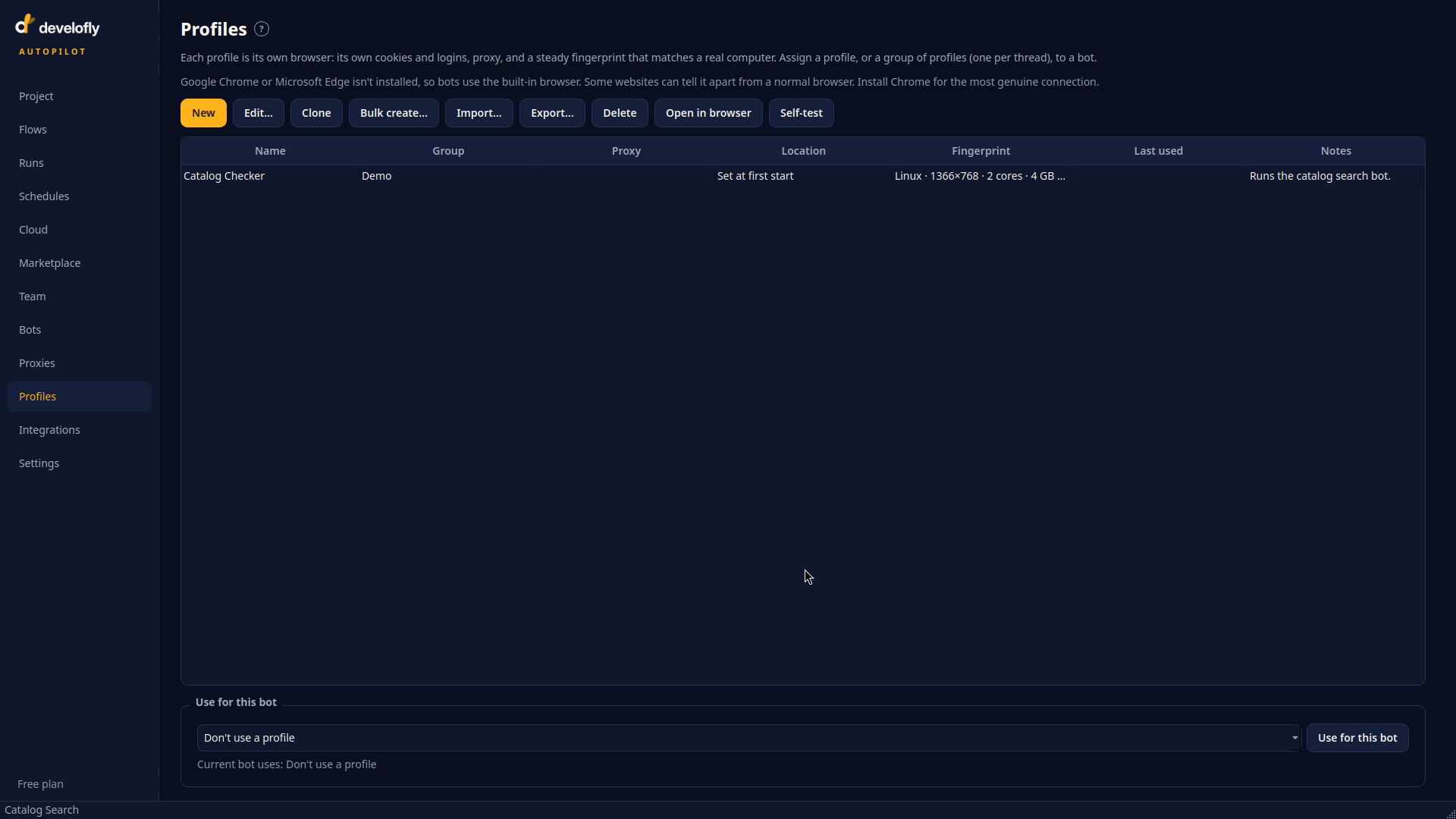
Profiles: create an identity once, reuse it everywhere.
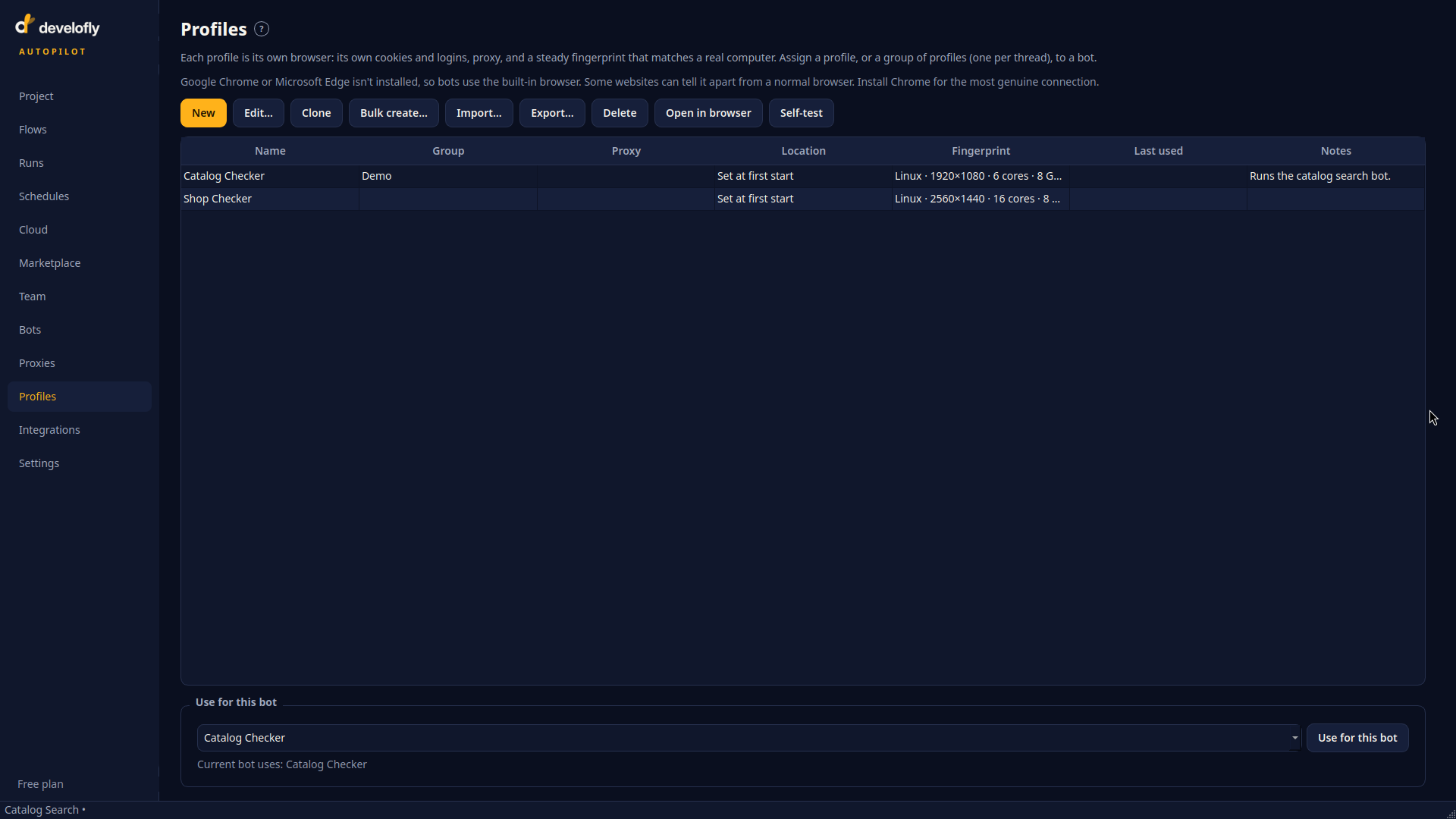
Assign a profile to a bot and it always runs with that identity.
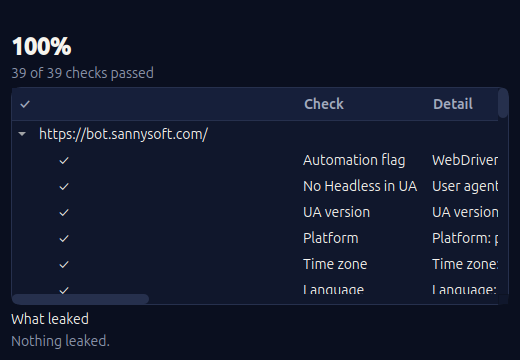
The self-test report: each check named, and a plain answer to “what leaked”.