 Develofly Autopilot
How recording works
- Open the project editor and press Record.
- Work in the browser window Autopilot opens: visit the page, click, type, submit — at your normal pace.
- Press Finish recording. Your actions are now a list of steps in the editor.
- Answer a few plain questions (below), then run the bot, test a single step, or run up to any step to check it.
Nothing is hidden: the bot is the same step list you could have built by hand, so you can change a selector, add a wait, or delete a step afterwards.
Repetitions become a loop
If you did the same steps several times — once per product, per row, per search result — the recorder notices. It asks whether the bot should repeat those steps for each item in a list you give it, and turns the repetition into a loop with the changing values as variables. If the first repetition was incomplete (a click that did not register, for example), it tells you and keeps the item anyway, so the bot does every item the same way.
Values you typed are listed back to you: keep them the same on every run, or turn them into form fields the bot asks for each time.
Training videos, narrated
Any bot can be turned into a training video: Autopilot replays the run and narrates what is happening, step by step, and saves the video with subtitles. Hand it to a customer or a new colleague instead of writing instructions.
Autopilot detects CAPTCHAs and pauses for a human during recording and runs — it never solves them.
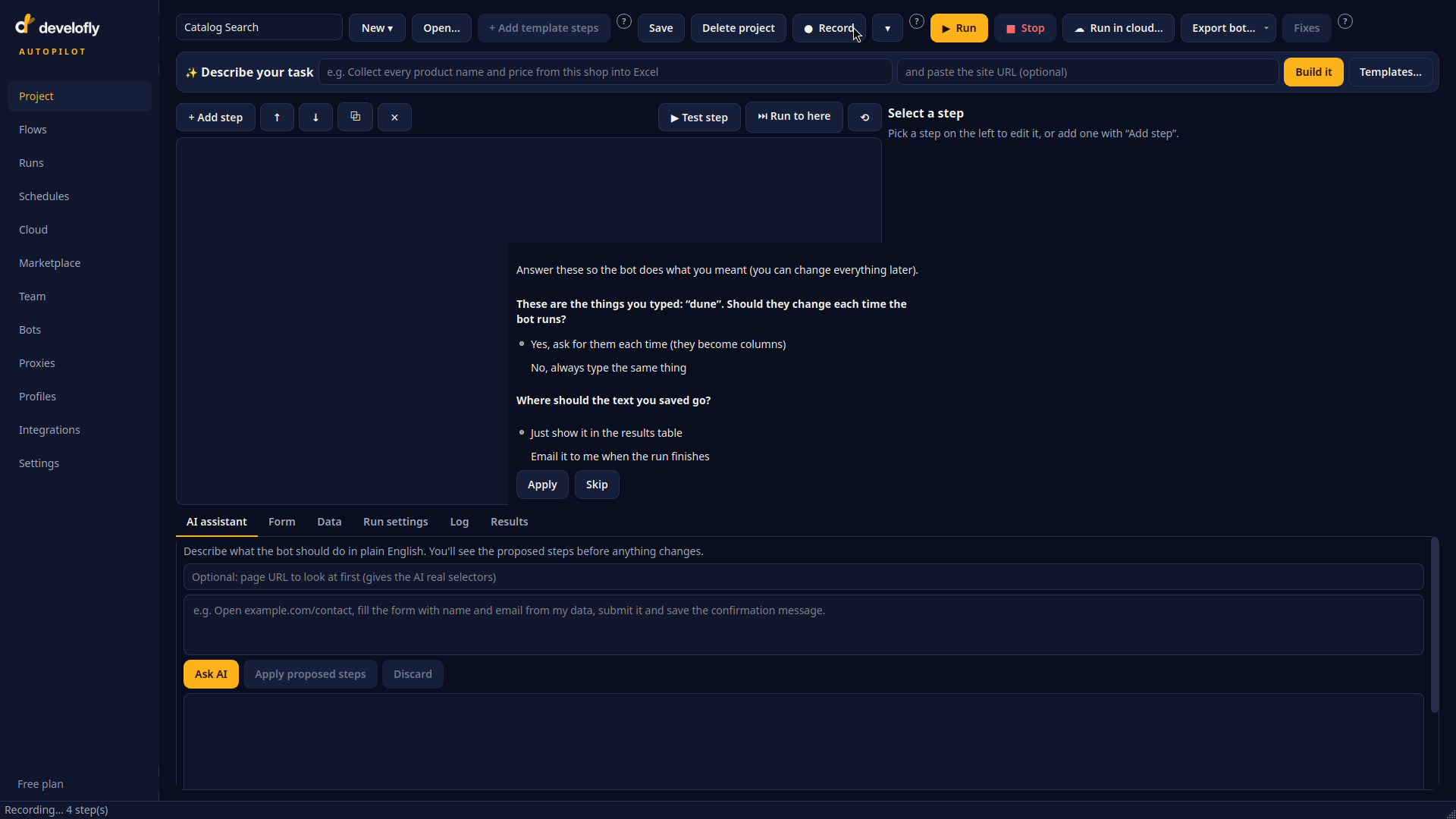
After a recording, Autopilot asks plain questions instead of guessing: repeat per list item? Should the typed values change each run? Where should the bot start?
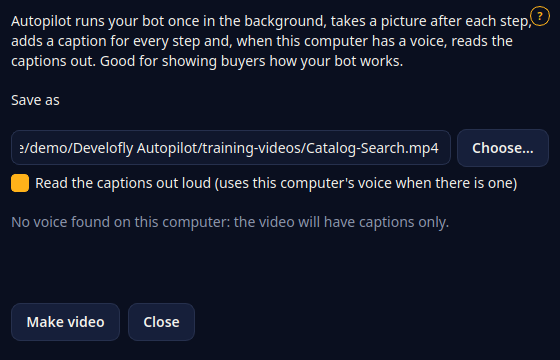
Make video: pick a bot, and Autopilot records a narrated walkthrough of it running.
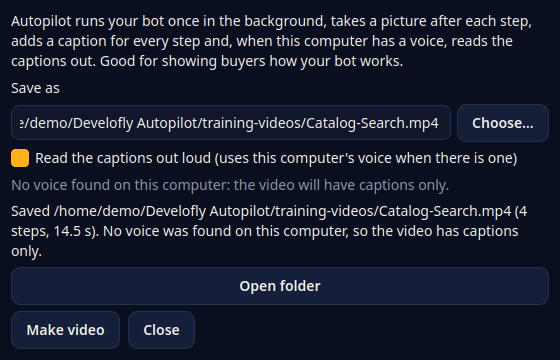
The finished video is saved with a subtitle file alongside it.